To edit contact information in your
address book, click the "Edit" link to the right of the contact you want
to change. Make the necessary changes and click the "Save" button.
When you enter nicknames in your
address book, you can use them to address emails. Nicknames are
shortcuts to email addresses in your address book.
Your Address Auto Complete function recognizes the first few letters of any nickname you type and provides the rest of the name.
Click "Compose" and type a nickname in the To:, Cc:, or Bcc: field.
If you're addressing an email to multiple contacts, Auto Complete
separates them for you. Then, compose and send your message.
To add a nickname to a contact in your address book, follow the steps below:
- Click "Edit" to the right of a contact name to see a detailed information listing.
- Add a new nickname in the space provided. A nickname must be unique –
it can only be used for one contact in your Address Book – and can't
contain spaces, commas, or single or double quotes.
- Click the "Save" button.
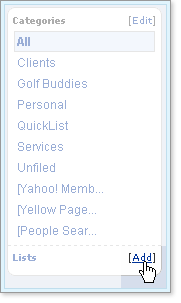
If you've created categories, the names of these will work just like
nicknames. Click "Compose" and type the list name in the To:, Cc:, or
Bcc: field. Again, Address AutoComplete will offer you matching email
addresses that you can select after typing just a few letters.
Whichever method you choose, your recipients will see their names as
you entered them into your address book, not as nicknames or the names
of categories.
Question? What's the difference between synchronization ("Sync") and Import/Export?
Anyone who has used import/export to keep
data from multiple sources consistent knows the problems it can cause:
duplicate data and overwritten changes.
For example, let's say you want identical data in your Palm Pilot and
your Yahoo Address Book.
While at home, you add John Doe to your Yahoo
Address Book, and later you add Jane Smith to your Palm Pilot during a
meeting.
At the end of the day, you'd like to get the same set of
information in both places.
So you export your Palm Pilot data and import it into Yahoo Address
Book. You get Jane Smith in your Yahoo Address Book but you also get
duplicate entries for every other contact.
To avoid this duplication
problem, you could first delete all of your Yahoo Address Book data
before importing the Palm Pilot data. But then, since it only existed in
your Yahoo Address Book, you would have lost John Doe's entry.
Synchronization solves these problems by taking changes to your data,
regardless of where they were made, and distributing them to all your
contact managers.
If you change the same record in multiple places,
synchronization allows you to automatically reconcile the differences
and take the most recent change, or to manually reconcile the
differences.
Somebody Come and Play In the Traffic With Me! Earn as You Learn, Grow as You Go!
The Man Inside the Man
from
Sinbad the Sailor Man
A
JMK's Production
Share this page, If you liked It Pass it on, If you loved It Follow Me!
TTFN
CYA Later Taters!
Thanks for watching.
Donnie/ Sinbad the Sailor Man
P.S. Everybody Needs Traffic! Get Top Tier North American Traffic Here!